AI Operating Systems
Business Process Automation with AI
Automate patterned work while preserving the judgment points that still need a human.
Start with our AI agent. Find your next step.
Operating System Lens
Processes that stop waiting on people
- Identify repetitive handoffs and approvals
- Handle variable inputs with AI assistance
- Measure time saved, error reduction, and throughput
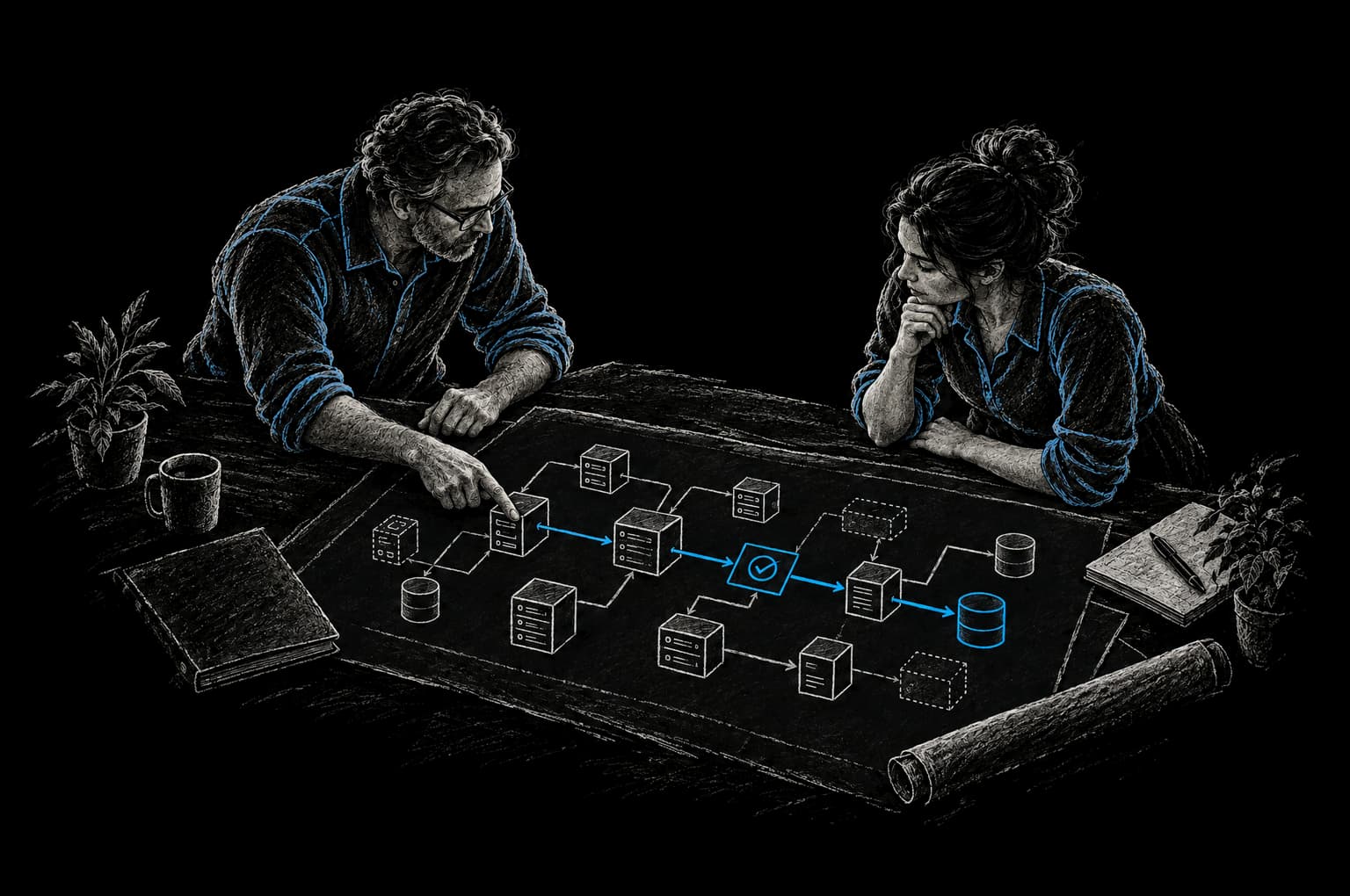
Business processes aren't failing because companies lack tools. They're failing because someone is still doing the work manually, even though that work follows a pattern. Business Process Automation with AI changes that.
Traditional automation systems are brittle. They follow if/then logic: if you receive a form with exactly these fields in exactly this format, then route it here. But the moment a customer emails instead of filling out the form, or includes extra context, or the data comes in slightly different structure, the automation breaks and someone has to step in manually anyway.
Business Process Automation (BPA) with AI replaces that brittle logic with intelligent decision-making. The system can read an email, understand context, extract the relevant information, route the work correctly, and even generate a response. When something falls outside the normal pattern, AI flags it for the right person instead of breaking the entire workflow. The human involvement doesn't disappear, it shifts from doing repetitive work to handling genuinely complex exceptions.
For most organizations, this is a fundamental unlock: you can automate processes that were previously too messy or variable to touch.
The Before State: Where Time Gets Lost
Most organizations have at least one process that hemorrhages manual hours. Here's where it shows up.
Manual data entry across systems. A customer places an order in your web app. That data needs to flow to your billing system, your fulfillment platform, and your CRM. Instead, someone copies the order details and re-enters them in each system. Same person, same information, three times. If the customer has special instructions or a custom billing address, those instructions either don't make it through or they create reconciliation work downstream.
Manual triage of incoming work. Emails, form submissions, support tickets, purchase orders arrive constantly. Someone reads each one, decides what it is, where it should go, and assigns it to the right person or system. If the decision rules change, you have to retrain that person. If they take a day off, a queue of unrouted work stacks up.
Approval workflows with no visibility. A request sits in someone's inbox. That person might be in meetings, overloaded, or they forgot about it. No one knows where the request is in the process, when it will be approved, or what's blocking it. If you need visibility, you have to ask the human manually.
Reports compiled from multiple sources. Your real-time metrics actually come from data scattered across five different tools. Getting a clean picture takes hours of manual data pulling, consolidation, and formatting. Every report is a one-off task. If you need a variation of that report next week, you rebuild it from scratch.
Repetitive customer communication. You send the same confirmation emails, the same follow-up sequences, the same escalation notices. Each one gets manually drafted, reviewed, and sent. It's templatable work, but it doesn't get templated because it would feel impersonal at scale.
Manual review of every transaction, not just the exceptions. Your company processes thousands of transactions per month. Maybe 95% of them are routine. The 5% with exceptions need human review. But instead of flagging just those exceptions, your system routes all transactions to a human because it can't distinguish normal from anomalous. Now someone is manually reviewing thousands of routine transactions and you're paying for that labor.
According to Smartsheet research (opens in a new tab), nearly 60% of workers estimate they could save 6+ hours weekly if repetitive tasks were automated. McKinsey's State of AI 2025 found (opens in a new tab) that 78% of organizations now use AI in at least one business function, but only 21% have redesigned their workflows. Most companies are running AI tools on top of broken processes instead of rebuilding the process itself.
How AI Changes the Automation Picture
Traditional rule-based automation is limited by structure. It works perfectly when inputs are predictable and consistent. But the moment you introduce variability, unstructured data, or contextual nuance, the rigid rules collapse.
AI-assisted BPA flips that dynamic. Instead of trying to codify every possible scenario in advance, the system recognizes patterns and makes context-aware decisions in real time.
Processing unstructured inputs. A customer sends an email with a request for a custom shipment. The text is messy, includes background context, and references multiple orders. AI can read that email, extract the intent, pull the relevant order data, understand the customer's history, and route it to the right department with a summary. Traditional automation would either reject the email as malformed or send it to a generic queue.
Handling variability without breaking. If a form submission is missing an optional field, or if a customer's phone number is formatted slightly differently than the template expects, the system handles it gracefully instead of failing. It fills in missing context from existing data, standardizes formats, and routes the work correctly anyway.
Intelligent routing and exception detection. Instead of routing everything to a human, the system is built to recognize what "normal" looks like and flag only genuine exceptions. A transaction that deviates from the expected pattern for that customer, that region, or that product type gets routed to a human. Everything else completes automatically. This means your team handles only the work that actually requires judgment.
Content generation as part of workflow. The system doesn't just move data around. It generates responses, summaries, and reports as part of the automation. A support request arrives and the system doesn't just categorize it. It summarizes the issue, pulls relevant documentation, generates a draft response, and routes it for human approval. That human is reviewing and refining, not starting from a blank page.
Measurable improvement over time. With proper telemetry, you can see exactly what the automation is handling, where it's succeeding, where it's struggling, and where humans are getting the most value. That data lets you iterate. The system improves when we review telemetry, add the cases it got wrong to its evaluation suite, and update prompts, rules or models, with each change gated by evaluations.
The practical difference: rule-based automation stops working the moment the real world introduces variation. AI-assisted automation handles variation, and every case it gets wrong becomes a test that the next version has to pass.
Common Use Cases
Invoice Processing and Accounts Payable. Invoices arrive via email, portal, and paper. They don't always come with POs. Data entry errors are common, and manual processing makes every invoice expensive to handle. AI can extract data from invoices in any format, match them to purchase orders, flag mismatches or exceptions, and route clean invoices directly to approval and payment. Clean invoices go straight through, and the ones with exceptions reach your AP team with the discrepancies already highlighted.
Customer Onboarding and Account Setup. New customers fill out forms, send emails, schedule calls. That data needs to flow into your CRM, your billing system, and your fulfillment platform. Duplicate entries and missing information are constant. AI consolidates submissions into a clean profile, flags missing data, populates standard information from context, and creates accounts across systems automatically. Your onboarding team confirms the account is live and ready instead of doing data entry.
Support Ticket Triage and Routing. Support requests arrive via email, chat, phone, and your support portal. Your team reads each ticket, categorizes it, assigns it to the right specialist, and sometimes adds context from order history or previous tickets. AI reads incoming tickets, categorizes them by product and issue type, pulls relevant history, and routes them to the specialist most likely to solve it quickly. If a ticket requires escalation, that flag goes up automatically based on sentiment and complexity signals.
Lead Qualification and Sales Workflow. Leads come in through multiple channels, but many aren't sales-ready. Your sales team spends time researching company size, evaluating fit, and deciding who to reach out to. AI can qualify inbound leads in real time against your ideal customer profile, enrich company data, and route qualified leads directly to your sales team with a one-pager summary. Unqualified leads are politely declined or moved into a nurture sequence automatically.
Expense Report Processing. Employees submit expense reports with receipts, but many have missing information, misclassified categories, or policy violations. Finance has to review each one, ask for corrections, and re-route. AI can extract receipt data, categorize expenses against your policy, flag policy violations as soon as a report is submitted, and route compliant reports directly to approval. Problem reports get routed to the employee with a checklist of what needs fixing.
Compliance and Document Review. You receive contracts, forms, and documents that need review against company policy or legal standards. Instead of routing every document to a human reviewer, AI can do a first-pass review, extract key terms, flag potential issues, and route risky documents for human review while green-lighting standard documents automatically.
How InTech Approaches Business Process Automation with AI
Automation projects fail when teams build without understanding the actual problem. You end up with a beautiful system that solves the wrong thing.
Step 1: Clarity First. We start by documenting the process as it actually exists. Not the process as it should exist on a whiteboard, but what really happens. We measure: how many hours per week go into this process? How many errors occur? What's the cost per transaction? How much variability exists between cases? We identify the bottleneck. Usually it's one specific step that cascades into rework downstream. That's where we focus.
Step 2: Define the Outcome Metric. Before we build anything, we agree on how success is measured. Are we reducing manual hours? Lowering error rates? Speeding up cycle time? All three? If you're not clear on what you're optimizing for, you'll optimize for the wrong thing. We want you to be able to measure whether the automation is actually delivering value 30 days after launch.
Step 3: Connect the Underlying Data. Automation is only as good as the data it works with. If your customer data is fragmented across three systems with inconsistent formats, automating on top of that data amplifies the problems. IBM research (opens in a new tab) found that poor data quality costs U.S. businesses approximately $3.1 trillion annually. We make sure the data is integrated and clean before the automation layer goes live.
Step 4: Build with Human Oversight Proportional to Risk. We don't try to eliminate humans. We shift them toward judgment instead of rote work. If a decision is genuinely risky or high-value, a human reviews it first. If it's routine and the automation is accurate, it runs without review. As the system proves itself over time, you can adjust that ratio. The goal is that humans are doing the work only they can do well.
Step 5: Measure Post-Launch. We instrument the automation with telemetry from day one. How many cases went through fully automated? How many needed human intervention? What type of cases ended up in the share that required review? Where are the edge cases? That data tells you whether the automation is working and where to invest in improvements.
Most engagements start with an assessment that picks the first workflow. An Express Pod puts one measurable improvement into production in weeks, with the timeline agreed in the Intent Contract before build starts. The Build Pod is ongoing delivery capacity with a Product Delivery Lead, staffed to the shape of the work and managed against outcomes. Commercial terms are agreed per engagement. A Build Pod can be configured for a single stream or multiple workstreams depending on your scope, and InTech Operate can run and improve the automation in production.
Frequently Asked Questions
What's the difference between traditional automation and AI-assisted BPA?
Traditional automation uses rigid rules: if these exact conditions are met, then do this. AI-assisted BPA uses pattern recognition and context to make decisions on variable, messy data. Traditional automation breaks when inputs don't match expectations. AI-assisted automation handles variation, and it improves when we review telemetry, add the cases it got wrong to its evaluation suite, and update prompts, rules or models, with each change gated by evaluations.
How long does it take to implement business process automation?
An Express Pod puts one measurable improvement into production in weeks, with the timeline agreed in the Intent Contract before build starts; for BPA, that is usually a single high-impact workflow. A Build Pod handles more complex workflows or integration work as ongoing delivery capacity. A multi-workstream configuration carries ongoing optimization and expansion. The timeline depends on data readiness, process complexity, and how much existing integration work you need to do first.
Do you need historical data to get started?
It helps. Past transactions or tickets show the patterns and exceptions in the process, and we use a representative set of them to build the evaluation suite that tests the system before launch. If you have little history, we start with closer human review and add real cases to the evaluation suite as they come in.
What if the AI makes a wrong decision?
That's why we design proportional human oversight. Decisions that are high-risk or low-confidence get routed for human approval. As the system proves itself over time with telemetry showing high accuracy, you can reduce that oversight. Early on, humans handle exceptions and validate that the automation is working correctly.
How do you handle security and sensitive data in automated workflows?
We architect automation with data minimization in mind. The system only accesses data it needs to make the decision. Sensitive information like payment data or PII is masked in logs and audit trails. Workflows are built with role-based access so an automation can only act within its authorized scope. Security and compliance are designed in from the start. We work with your security and compliance leads on access control, data retention and audit logging, and data stays in infrastructure you control or approve.
What happens if the process changes?
That's actually an advantage of AI-assisted systems. When a process changes slightly, you don't need to rewrite the entire rule base. We update the prompts, rules, or examples, add the new cases to the evaluation suite, and ship the change once the evaluations pass. If the change is fundamental, we redesign that part of the workflow. It's more flexible than traditional automation, though you'll want closer human oversight during the transition period.
From Friction to Proof
Bring us the part that’s getting in the way.
Tell our AI agent what you want to improve. We’ll help you find a useful first step.
Start with our AI agent. Find your next step.