Problems We Solve
Reducing Manual Data Entry with AI
Rekeying data is usually evidence that important systems are not connected at the workflow level.
Start with our AI agent. Find your next step.
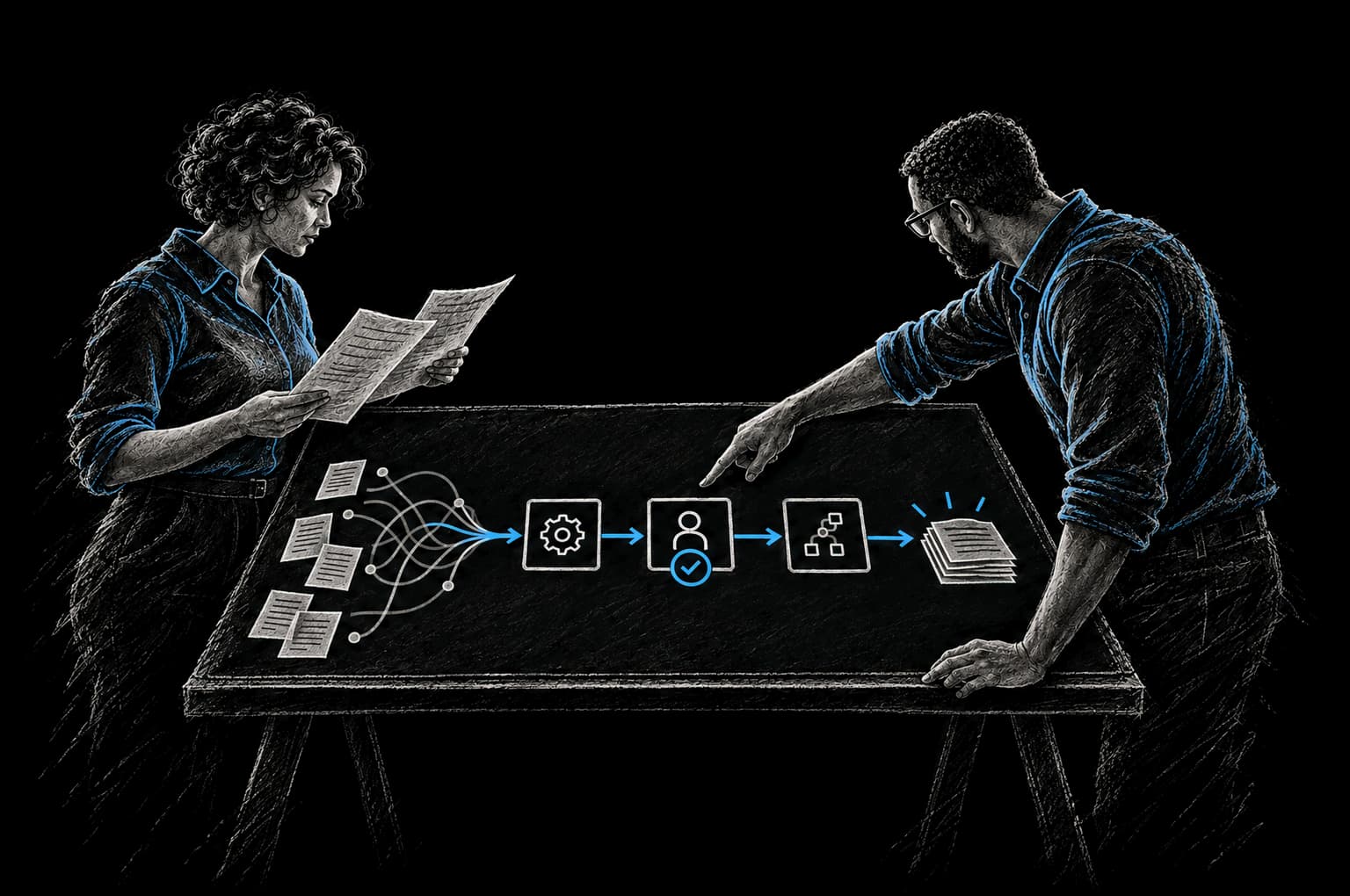
Operating Friction
Manual work hiding system gaps
- Find repeated copy-paste steps
- Connect the source and destination systems
- Add validation so automation reduces errors
Manual data entry isn't a technical problem. It's a business drain disguised as operational necessity.
Your team copies invoice amounts from email into accounting software. They retype customer names from a form into your CRM. They re-enter order details from Slack into your shipping system. Each task takes seconds. Multiplied across a team, across a year, it steals weeks of productive time.
And every keystroke introduces risk. A transposed digit. A misread field. A partial entry that cascades into downstream errors and reconciliation work that costs more than the original task.
This is the manual data entry trap. It happens to nearly every growing business. And it's entirely fixable.
Why Manual Data Entry Still Dominates
Your systems aren't broken individually. They were purchased separately, chosen because each solved a specific need at the time. Your CRM works well. Your accounting software tracks revenue. Your operations platform manages fulfillment.
But they don't talk to each other.
No API connection exists between them. No automated workflow pulls data from one system and pushes it to another. The path of least resistance becomes a human bridge: an employee copying and pasting, re-entering, manually syncing information across tools.
When growth happens fast, this becomes unsustainable. When you have compliance requirements around accuracy, it becomes dangerous.
The Real Cost of Manual Entry
Manual data entry doesn't just waste time. It compounds.
Errors multiply across your operation
Research from Quality Magazine shows manual data entry error rates of 1-4%, with supply chain operations hitting 4% consistently. A single transposed customer ID or invoice amount may seem minor until it propagates through accounting, affects reporting, breaks downstream automation, and requires your team to spend hours investigating what went wrong.
Over 60% of invoice errors are directly caused by manual data entry, according to SenseTask analysis. That single stat should make every CFO uncomfortable.
The math of lost productivity
Nearly 60% of workers estimate they could save 6 or more hours weekly if repetitive tasks were automated, per Smartsheet research (opens in a new tab). If everyone on a 10-person team saved six hours a week, that would be about 240 hours a month, a meaningful share of paid time spent on tasks that could be automated.
Poor data quality has an enterprise cost
IBM research (opens in a new tab) data shows poor data quality costs U.S. businesses approximately $3.1 trillion annually. The IBM Institute for Business Value reported in 2025 that 26% of organizations lose more than $5 million annually due to poor data quality alone.
This isn't theoretical. This is your margin disappearing into reconciliation, corrections, and customer service recovery.
The Solution: Connect Your Systems
The fix isn't replacing every tool. It's connecting them so data flows automatically where it needs to go.
API integrations: The backbone
An API integration lets two systems exchange data without human intervention. When a customer is created in your CRM, their information automatically populates in your billing system. When an invoice is marked paid in accounting, your CRM is updated. When an order ships, the customer's record reflects the shipment status.
This eliminates the copy-paste cycle entirely. Data exists in one source of truth. Related systems stay in sync automatically.
Document extraction and intelligent capture
Invoices, contracts, forms, and receipts still arrive in unstructured formats: PDFs, scanned images, uploaded files. You need the data inside them in your operational systems.
Intelligent document capture uses computer vision and OCR to read these documents, extract key fields (invoice number, amount, vendor, date), validate the extraction, and push the data directly into your accounting, CRM, or operations platform. No manual typing. Fewer errors from misread handwriting, with low-confidence fields sent to a person to check. No data sitting in someone's inbox waiting to be processed.
Automated workflow triggers
When data changes in one system, downstream actions should happen automatically. A new customer record triggers welcome email sequences. A completed invoice triggers payment processing. A shipped order updates inventory levels and notifies shipping partners.
These workflows eliminate decision points and manual handoffs. The system sees the trigger and executes the next step without waiting for a human to notice and act.
Real-time data synchronization
Instead of batch processing that happens once daily or once weekly, real-time sync keeps systems current throughout the day. Your operations team sees live inventory. Your sales team sees current payment status. Your finance team sees real-time revenue recognition.
This eliminates the lag period where data is stale, decisions are made on outdated information, and corrections happen after the fact.
What This Looks Like in Practice
Integration Example 1: Invoice to accounting
An invoice arrives in email. Intelligent document capture extracts the vendor name, invoice number, amount, and due date from the PDF. The data is validated against your vendor master file. If the vendor and amount match your purchase order, the invoice is automatically created in your accounting system with the correct cost center and GL account coding. A notification is sent to the approver if human review is needed. When approved, payment is automatically queued. No data entry. No manual reconciliation.
Integration Example 2: Customer data across platforms
A customer signs up through your web form. Their information is automatically created in your CRM with email, phone, and company details populated. A triggered workflow adds them to your nurture email sequence. If they're a demo customer, a second workflow alerts your sales team with context. When they convert, the deal is automatically populated with information already in their CRM profile. Your billing system receives their customer record and creates their subscription. Your support platform has their full context instantly. One entry point. Full visibility across teams.
Integration Example 3: Order fulfillment sync
An order is placed in your e-commerce platform. The order data flows automatically into your fulfillment system with items, quantities, and customer address pre-populated. Your inventory system decreases stock levels in real time. When the order is packed, a barcode scan triggers a shipment notification in your system. The tracking number is automatically sent to the customer and stored in your CRM. Finance receives the revenue event for accurate recognition. No one manually enters anything. The order state is synchronized across every system that needs it.
Integration Example 4: Proposal to contract automation
Your sales team creates a proposal in your quote software. When the prospect accepts, the opportunity data in your CRM automatically triggers the contract generation workflow. Terms, customer details, pricing, and approvers are pre-populated. Signatures flow through e-signature automation. Once signed, the contract becomes a record in your document management system and triggers billing system setup. The customer's onboarding timeline is automatically scheduled. No manual contract entry. No delays waiting for operations to set up billing. No errors from re-entering terms.
How InTech Approaches This Problem
This is the core of what we build. We don't believe in wholesale platform swaps or no-code workflows held together by duct tape.
We use your existing tools and architect the integrations that unlock them. We build API connections between your systems. We implement intelligent document capture workflows for unstructured data. We design automations that eliminate repetitive manual tasks while maintaining the control and visibility your business needs.
We use the CRAFT methodology: we understand your Context, define the Rationale, Automate the work, Fortify it so it's reliable, and add Telemetry so you can see what's working.
For this work we focus on three things:
Integration design. We map your data flows, identify the synchronization points that matter most, and build API connections that make them automatic. We prioritize revenue-impacting integrations first, then operational efficiency.
Error prevention. We build validation into every data transfer. A customer record created in your CRM gets checked against your existing customer database. An invoice amount is validated against the purchase order. If something looks wrong, a human reviews it before data moves. If it looks right, it moves automatically.
Maintainability. Integrations you can't maintain become liabilities. We build them in ways your team can understand and modify as your business changes. We document the workflows. We set up monitoring so you know when something breaks.
Frequently Asked Questions
How long does it take to integrate our systems?
It depends on the systems, the complexity of your data, and what you're trying to automate. Simple integrations (CRM to email marketing) can be live in weeks. Multi-system workflows with document extraction and approval gates take longer. We scope it properly in discovery and set the timeline in the Intent Contract before build starts.
What if we use custom or legacy software?
If your system has an API or a database we can access, we can integrate it. No API? We can often work through exports, database access, screen automation or document capture. If replacement really is the better path, we'll tell you plainly. The approach looks different, but the goal is the same: data flows automatically instead of waiting for manual entry.
Will this require us to change our existing tools?
Not necessarily. We integrate what you have. If your tools have APIs and can be connected, we connect them. If some of them are limiting you, we'll tell you that during discovery and you can decide if replacement makes sense. But integration almost always works first.
What happens when our business process changes?
We design automations to be modular. When your process changes, we modify the workflow instead of rebuilding everything. This is why documenting the logic and design matters so much. A well-built automation is easy to adapt.
How do we know the data being transferred is accurate?
We build validation at every step. Thresholds trigger human review. Logs capture every transaction so you can audit what moved and when. We set up dashboards that alert you to anomalies. And we test extensively in a staging environment before anything touches production data.
What's the ROI?
That depends on your team size, the volume of data you're moving manually, and your hourly costs. We build the business case with you from your own baseline, so you can see the expected payback before you commit. The Intent Contract sets the baseline and the date we verify against.
Make Manual Entry Obsolete
Your business has better things for your team to do than copy data between systems. The technology to eliminate this work exists. The tools to automate it are mature and reliable.
The only barrier is building the connections that make it happen.
The pattern holds for operations teams, e-commerce businesses, professional services firms, agencies, and SaaS companies alike: connect the systems, reduce errors, reclaim time, and let your team focus on work that requires human judgment.
If manual data entry is consuming your team's time, let's talk about fixing it.
From Friction to Proof
Bring us the part that’s getting in the way.
Tell our AI agent what you want to improve. We’ll help you find a useful first step.
Start with our AI agent. Find your next step.