Problems We Solve
Streamlining Business Workflows: Moving from Manual to Connected Operations
Workflows that grew by habit hide their friction in email, spreadsheets, and people's memory.
Start with our AI agent. Find your next step.
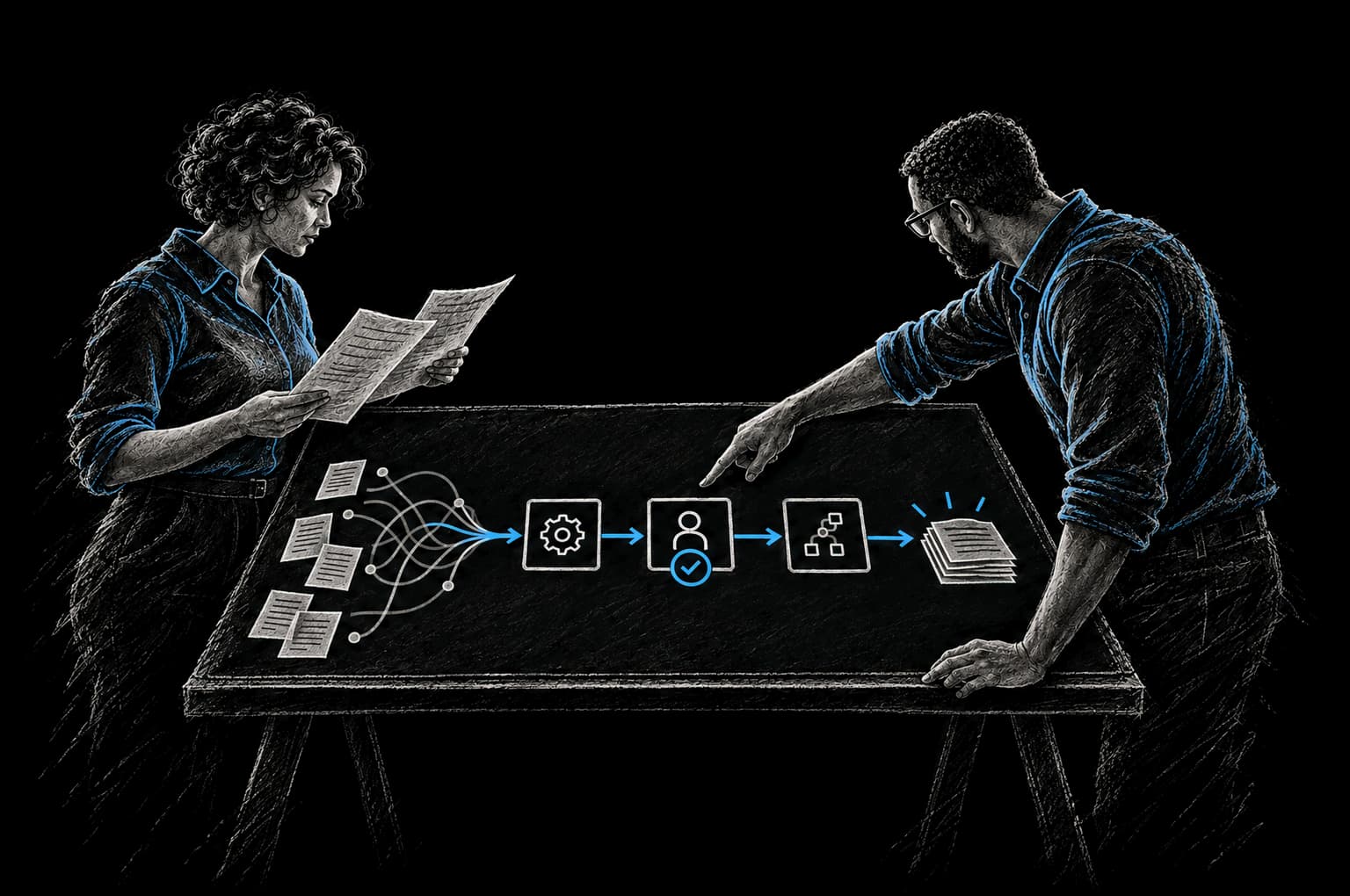
Operating Friction
Where workflows lose time
- Handoffs travel by email with no tracking
- Approvals wait on someone remembering
- Only one person knows how a step works
Your business workflows probably weren't designed. They evolved.
Someone figured out a way to do something. Someone else tweaked it. Over time, you ended up with something that works, but is cobbled together from habit, spreadsheets, Slack channels, email threads, and occasional bursts of intentional automation.
It works. But it's slow. And fragile. And hard to improve.
Streamlining doesn't mean working faster. It means removing the friction so work naturally moves faster. It means replacing the email threads and spreadsheets with actual process. It means making the handoffs explicit instead of implicit. It means automating the repetitive parts so humans can focus on judgment.
Where Workflow Friction Hides
Multi-step handoffs that happen over email with no tracking
A project moves from sales to implementation. It's supposed to happen through a handoff email. Except the email isn't always sent. Or it gets lost in the inbox. Or the implementation team doesn't see it for three days. And when it does get there, there's no tracking of whether they received it or when they started.
Or a decision needs approval from three people. It goes to person A via email. They respond "looks good" via email. But person B never gets the message because they were cc'd, not to'd. Person C is still waiting for it.
Multi-step email workflows have no visibility. You can't see where things are stuck. You can't see if someone missed their step.
Approval chains that require manual follow-up
An expense report sits waiting for approval. The approver is busy and didn't see the email. The person who submitted the expense report has to follow up. Multiple times. Three weeks later, the expense is approved, and the time spent following up is more than the expense itself.
Approval chains only work if the system enforces them. If they depend on humans remembering to approve things, things get forgotten.
Data that needs to be formatted differently for different systems
A deal closes. The sales information needs to flow to implementation, to billing, to accounting. But each system expects the data in a different format. The data is manually reformatted for each system. Three opportunities to make a mistake. Three manual steps that could be automated.
Steps that only one person knows how to do
Your company has institutional knowledge locked in one person's head. "Bob does the vendor invoicing process." When Bob is out, nobody else knows how to do it. When Bob leaves, that knowledge leaves with him.
This happens when processes are implicit instead of explicit. When they live in someone's email drafts or a spreadsheet on their personal computer instead of in a systematic workflow.
No visibility into where a process is at any given time
An onboarding is happening but you don't know where it is. Is the customer waiting on something from you? Are you waiting on something from them? Has anyone started the setup? Is it blocked? You have to ask someone. They have to dig through their email to find out.
Without systematic tracking, you have zero visibility into process state.
The Business Impact of Workflow Friction
Friction costs time. Time costs money. And friction creates bottlenecks that slow down everything that depends on that workflow.
Nearly 60% of workers estimate they could save 6+ hours per week if repetitive tasks were automated (Smartsheet (opens in a new tab)). If your organization has 20 people and each could save 6 hours per week, that's 120 hours per week of reclaimed capacity. At a fully-loaded cost of $75 per hour, that's $9,000 per week. That's $468,000 per year just sitting there as friction.
McKinsey's 2025 analysis found that only 21% of organizations have redesigned workflows around AI and automation. Most organizations are still running workflows designed for manual labor.
The companies that streamline their workflows don't just save time. They move faster. They make fewer errors. They scale more easily. They have better visibility. They stress their teams less.
The Streamlining Approach: Map, Identify, Automate, Enforce, Measure
Streamlining is a five-step process.
Map the current workflow
First, understand how work actually happens. Interview the people who do the work. Follow the emails. Look at the spreadsheets. Document the actual steps, the handoffs, the decisions, the approval points.
Most organizations discover that the documented process doesn't match how work actually happens. Something is being done that's not supposed to be. Something that's supposed to be done is being skipped. There are workarounds.
Identify the friction points
Once you see the actual workflow, the friction is obvious. This is where things slow down. This is where information is missing. This is where the handoff fails.
Common friction points: waiting for information from another system, manual data entry of information that should be automated, handoffs that require human memory, approval steps with no tracking, status that's invisible.
Automate the right things
Not everything should be automated. Some decisions require humans. Some approval steps require judgment. But the dumb work should be automated.
Automated: data flows between systems, status updates happen automatically, approvals are routed automatically, notifications go out automatically, information is pulled into the place where people need it.
Not automated: decisions that require business judgment, approvals that require expertise or relationships, creative work, exceptions.
Enforce the steps
Once you've automated the pieces, the workflow itself needs to be enforced. Step one happens. Then the system triggers step two. Then step three. People can't skip steps because the system won't let them. They can't forget steps because the system reminds them.
This is what separates a workflow from a list of suggestions.
Measure the improvement
Pick metrics that matter to your business. How long does the workflow take from start to finish? How many steps require human involvement? How many times are things revisited because of missing information? What's the error rate? What's the visibility into status?
Measure before and measure after. The improvement is usually significant.
Illustrative Examples
Hypothetical scenarios to show the pattern; figures are illustrative, not client results.
Example 1: Sales to implementation handoff
Before: Deal closes in Salesforce. Sales person sends an email to implementation with customer details. Implementation team receives the email (hopefully). They manually create a project. They manually copy customer details. They manually gather other information. Two weeks later, implementation actually starts.
After: Deal closes in Salesforce. Automated workflow triggers. Customer is created in the implementation system with all details from the deal. Automated email goes to implementation team with a link to the project (already created). Implementation team can start immediately.
Result: Implementation starts within 48 hours instead of two weeks. Zero manual data entry. Implementation team has all context waiting for them.
Example 2: Expense approval workflow
Before: Expense report submitted via email. Supervisor doesn't see it (too much email). Requester follows up. Three weeks later, it's approved. Then it goes to finance. Finance re-enters the expense into the accounting system. Reconciliation mismatch, follow-up required.
After: Expense submitted in a workflow system. Supervisor gets a notification. They approve it within 48 hours. Automated workflow routes it to finance. Finance sees it's already entered, submits it to accounting. Accounting system is updated automatically.
Result: Expenses approved within 48 hours instead of three weeks. Finance doesn't have to re-enter data. Reconciliation is automatic.
Example 3: Customer onboarding
Before: Customer signs up. Sales team manually sends welcome email. Ops team needs to set up their account (and doesn't know what features they bought). Implementation team needs to schedule a kickoff call. Finance needs to create an invoice. All of this happens independently, with no coordination.
After: Customer signs up. Automated workflow starts. Account is created automatically with the features from their purchase. Welcome email sends automatically. Kickoff call is scheduled automatically. Invoice is created automatically. All the parallel work happens at the same time instead of in sequence.
Result: Onboarding takes 3 days instead of 10 days. Customer is set up faster. Fewer things fall through cracks because they're systematically routed.
Example 4: Vendor invoice processing
Before: Vendor invoice comes in via email (or paper). Manual data entry into the accounting system. Matching it against the PO is manual. Approval from the right person is manual (probably email). Gets sent to accounting. Manual entry into the ledger. Three weeks to process. High error rate because of manual re-entry.
After: Vendor invoice comes in. Attached to the PO automatically (matched by vendor and amount). Routed for approval automatically. Approval routes back automatically. Accounting system is updated automatically from the data in the invoice.
Result: Invoices processed in 3 days instead of 3 weeks. Zero manual data entry. Near-zero error rate because data flows automatically.
Example 5: Support ticket escalation
Before: Support ticket comes in. Support agent handles it. If they can't solve it, they send an email to a specialist. Specialist doesn't see it. Ticket stalls for days. Customer is frustrated. Finally someone checks and escalates manually.
After: Support ticket comes in. Agent tries to solve it. If they can't, they click "escalate." Automated workflow routes it to the right specialist. Specialist gets a notification. Specialist sees full context (all previous interactions, customer history, what the agent already tried).
Result: Escalations are handled within 4 hours instead of days. Specialists have context instead of re-doing the work the first agent already did. Customer satisfaction improves.
The InTech Approach
We don't impose processes on you. We map your actual workflows, identify the friction that costs you time and money, and automate the right pieces.
We use the CRAFT methodology: we understand your Context, define the Rationale, Automate the work, Fortify it so it's reliable, and add Telemetry so you can see what's working.
We measure everything. Before the work starts, after the work is done, and regularly after that. Streamlining isn't one project. It's a practice.
We agree on the baseline and the target with you before work starts, and report the result against that baseline. The time you reclaim gets reinvested in work that matters: your team moves faster, makes fewer errors, and spends less energy chasing status.
FAQ
How much of our workflow should we automate?
As much as makes sense. Ideally, everything that doesn't require human judgment or decision-making. The steps that do require judgment are where your people add the most value.
What if we can't agree on what the "right" workflow should be?
That's normal. We help you think through the tradeoffs. Sometimes there's no universally right answer. But there's usually a better option than what you're doing now. We optimize for whatever your business actually cares about: speed, accuracy, flexibility, cost, or some combination.
What if we have to make exceptions to the workflow?
All good workflows have an exception path. Most of the time, you follow the standard workflow. Sometimes you need to do something different. We build in the exception handling so you don't have to break the workflow every time you need to deviate.
How do we know if the new workflow is actually better?
We measure. Time in the system, error rate, visibility into status, time spent on manual work, customer satisfaction, team satisfaction. We agree on the baseline and the target with you before work starts, and report the result against that baseline.
What if automating requires changing how multiple teams work?
That's normal. Workflows cross team boundaries. That's usually where the biggest friction is. We help you think through the changes and smooth the transition. Most teams find the new way easier than the old way once they get used to it.
Can we start with one workflow and expand from there?
Absolutely. Pick your highest-friction, highest-impact workflow. Get it streamlined. Measure the impact. Then move to the next one. You build momentum as you go.
From Friction to Proof
Bring us the part that’s getting in the way.
Tell our AI agent what you want to improve. We’ll help you find a useful first step.
Start with our AI agent. Find your next step.