Problems We Solve
Automating Back Office Workflows with AI
Back-office work stays manual when finance, HR, and operations tools don't share data.
Start with our AI agent. Find your next step.
Operating Friction
Where back-office work stalls
- Invoices keyed in by hand
- Month-end close waits on spreadsheets
- Approvals stall in email threads
Back office operations are the invisible backbone of any business. Accounting teams process invoices. HR departments manage expenses and payroll. Compliance teams assemble regulatory reports. Vendors get onboarded. Expenses get approved.
These workflows are necessary, repetitive, and almost always done manually. And that costs money.
Every invoice processed by hand costs staff time. That sounds small until you process a thousand of them a month. More than 60% of invoice errors come from manual data entry. When financial data is wrong, you're making decisions on bad numbers. 26% of organizations lose more than $5 million annually from poor data quality (opens in a new tab).
The cost isn't just financial. Your best people spend hours a week on work that a machine could handle in minutes.
Why Back Office Workflows Stay Manual
Most businesses accumulate back office processes the way they accumulate tools: one problem at a time. Someone gets hired to handle invoicing. Another person manages expenses. A third runs the month-end close. Each person develops their own system, their own spreadsheets, their own checklist.
Even if your business uses modern software (accounting platforms, HR systems, project management tools), those tools rarely talk to each other. So data has to be moved by hand from one system to another. A payment comes in through the CRM. Someone manually enters it into accounting. An invoice needs approval. It arrives via email, gets printed, gets signed, gets scanned, gets filed.
Without automation, your back office doesn't scale. You can't add another thousand invoices a month without adding another person. You can't reduce errors without adding more oversight. You can't get data faster than your team can manually compile it.
The Business Impact
Manual back office workflows create three kinds of drag on your business.
Cost. You're paying people to do work that software can do. If your team spends 20 hours a week on invoice processing, and their loaded cost is $50/hour, that's $52,000 a year just for that one workflow. Multiply that across all the repetitive processes (expense reporting, payroll prep, vendor onboarding, compliance data gathering) and the number grows fast.
Error. Manual data entry introduces mistakes. A wrong invoice number. A line item coded to the wrong account. A missing vendor tax ID. These errors compound through your systems. They create reconciliation work downstream. They delay decisions because finance doesn't trust the numbers. More than 60% of invoice errors come from manual data entry.
Latency. Speed matters in operations. If your month-end close takes 10 days because finance is manually pulling data from four different systems, you're making decisions with a two-week delay. If your payroll team spends three days calculating hours because timesheets are in email and spreadsheets, you're fragile when someone's out sick. If vendors take six weeks to get onboarded because documentation has to be collected and verified by hand, you're losing negotiating power.
Automation fixes all three.
What Gets Automated
Back office workflows that are good candidates for automation have these traits: they're high-volume, they follow a defined process, and they involve moving or transforming data between systems.
Invoice processing. Invoices arrive via email or portal. An AI system reads the invoice, extracts the key data (vendor, amount, line items, GL codes), matches it to a purchase order if one exists, routes it for approval based on amount or category, and eventually triggers payment. Most manual data entry goes away, routine invoices follow approval rules you set, and exceptions go to a person.
Expense reporting. Employees submit expenses through a form or mobile app. The system categorizes expenses based on description and amount, flags anything that looks unusual, routes approvals based on policy, and feeds approved expenses into payroll and accounting. Managers spend minutes reviewing instead of hours. Data is consistent and clean.
Payroll prep. Timesheets feed in from your project management system, timecard app, or spreadsheet. The system pulls PTO from your HR system, handles deductions and tax calculations, flags exceptions (unpaid time off that needs manual review, overtime rates), and prepares the payroll file for your payroll processor. The finance team doesn't spend days chasing down hours.
Vendor onboarding. A new vendor is created in your CRM or procurement system. An automated workflow triggers: it sends the vendor a portal link where they upload W-9, insurance certificates, and banking information. The system validates documents, creates the vendor record in accounting, sets up payment terms, and notifies procurement that the vendor is ready to order from. Onboarding moves as fast as the vendor responds, not as fast as someone can chase paperwork.
Compliance reporting. Regulations require you to file reports quarterly or annually. These reports pull data from multiple systems: accounting, HR, payroll. An automated system knows what data is needed, retrieves it from each system, transforms it into the required format, flags anything missing or inconsistent, and assembles the final report package. Your team reviews and files the report instead of assembling it.
Financial reporting. At month-end, accounting needs data from multiple sources: accounts payable, accounts receivable, payroll, revenue recognition. A connected system pulls all this data, validates it, calculates balances, and assembles the monthly close package. Finance spends the close reviewing numbers instead of assembling them.
How InTech Approaches Back Office Automation
For back-office work, we usually connect the systems you already have rather than replace them. Where a tool or spreadsheet has become the constraint, we build software that fits.
You already have an accounting platform. You already have an HR system or payroll provider. You already have an email and a CRM. The problem isn't that you need new software. The problem is that these tools don't talk to each other.
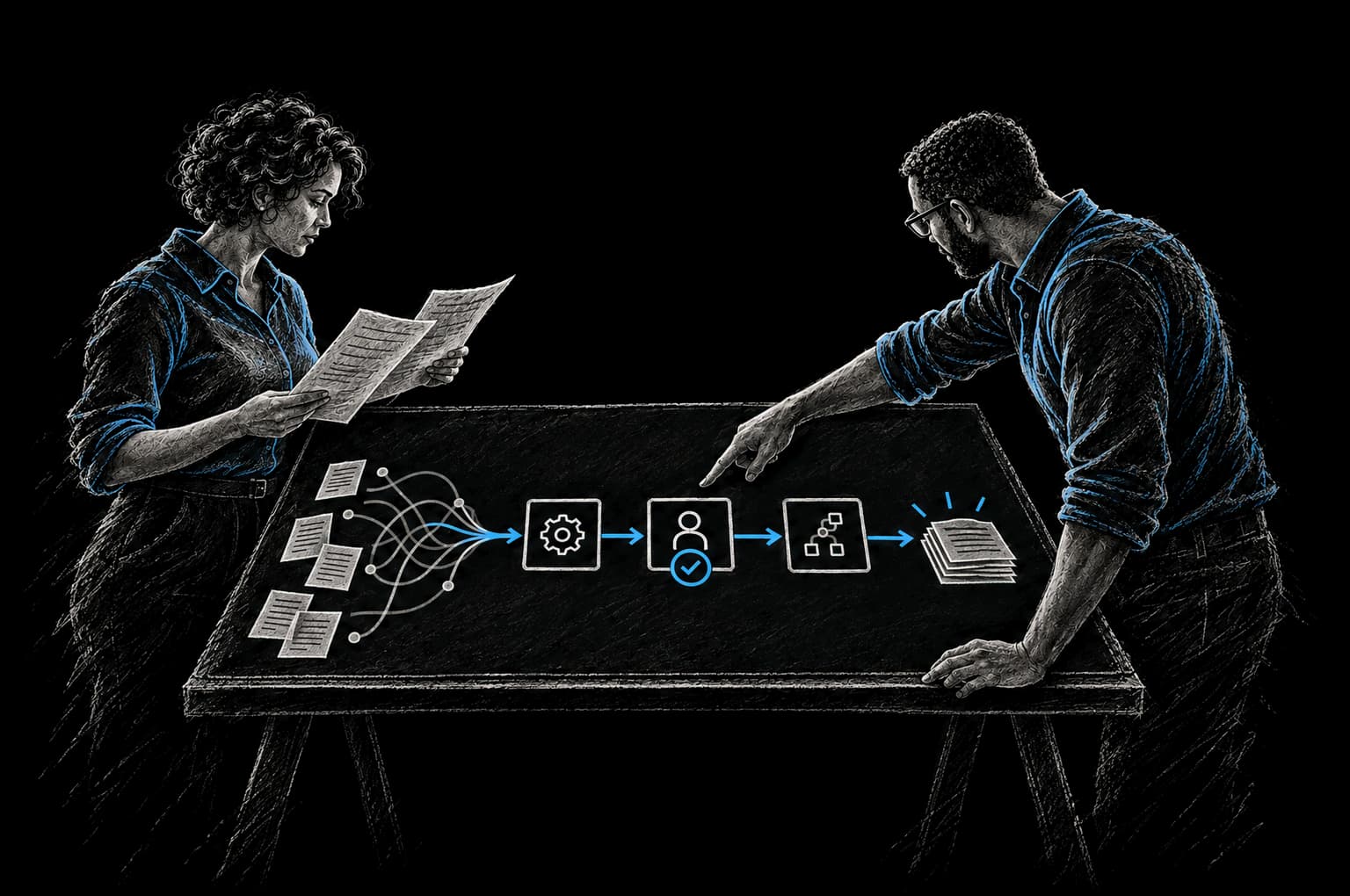
Our approach uses workflow automation (powered by tools like n8n) and AI to create the connections. When an invoice lands in email, the system reads it with AI, extracts the data, and sends it to your accounting system. When an employee logs hours in your project tool, the system pulls those hours and feeds them into payroll. When a new vendor is created, the system orchestrates the entire onboarding workflow.
The result is that your existing tools become an integrated system. Data flows between them automatically. Errors drop. Speed increases. Cost decreases.
This is faster to implement than replacing systems. It's lower risk because you keep using software your team already knows. And it's cheaper because you're automating connections, not rebuilding everything.
We use the CRAFT methodology: we understand your Context (what systems you have and how they work today), define the Rationale (how data should flow), Automate the work, Fortify it so it's reliable and secure, and add Telemetry so you can see what's working.
Frequently Asked Questions
How long does it take to automate a workflow?
Simple workflows (invoice processing, expense categorization, single-approval processes) can usually go live in weeks. Complex workflows that involve multiple approvals, conditional logic, or changes to your existing processes take longer. We set the timeline in the Intent Contract before build starts, and you see working software early so you can give feedback.
What if our systems don't have APIs?
Most modern business software has APIs. No API? We can often work through exports, database access, screen automation or document capture. If replacement really is the better path, we'll tell you plainly.
How do we handle exceptions?
Automation handles the routine cases. Unusual cases (an invoice from a new vendor, an expense that violates policy, an employee with a non-standard pay calculation) get routed to a person for review. The automation reduces the volume of manual work by removing routine cases, so your team can focus on exceptions that actually need judgment.
What happens if the automation breaks?
We build monitoring into every automation so you know immediately if something fails. Most failures are data issues (a new field in your CRM that breaks the mapping, a vendor formatting an invoice differently). We provide support and fix issues quickly, and you can run workflows manually while we do. If you'd rather not run it yourself, InTech Operate can run and improve it as a managed service.
How much does this cost?
Cost depends on the number of systems and the complexity of the workflow. We scope it after an assessment and give you a clear price before work starts. A single workflow often starts as an Express Pod; several workflows usually run as a Build Pod. We build the business case with you from your own baseline, so you can see the expected payback before you commit. The Intent Contract sets the baseline and the date we verify against.
From Friction to Proof
Bring us the part that’s getting in the way.
Tell our AI agent what you want to improve. We’ll help you find a useful first step.
Start with our AI agent. Find your next step.